




Hard Road is a driving game that runs in the browser on three.js and WebGPURenderer. For most of its life the sky above the road was procedural. It is one mesh and one fragment program, with no image assets. I built it over several months, one small round at a time, and most of what I learned lives in code comments that say why a line is the way it is.
This article collects those reasons, roughly in the order the pieces sit in the shader.
You need to know three.js. You do not need to know TSL (Three.js Shading Language) or the WebGPU renderer. I explain each TSL idiom the first time it appears, in one sentence.
Why procedural
I wanted a sky that costs nothing to download. A driving game already streams terrain, textures and models, and every megabyte at boot is a megabyte the player waits for.
I wanted a sky that reacts to two inputs and nothing else. One is a clock that runs a full day in an hour. The other is a weather scalar from 0 (clear) to 1 (overcast). Everything on screen follows from those two numbers.
I wanted one mesh and one shader. The sky gradient, the haze, the clouds, the stars and the Milky Way are all evaluated in the same fragment program on the same dome. Nothing has to be composited, sorted or kept in sync between passes.
This sky is not photoreal. Noise cumulus reads well in motion and under fog, but a still frame never looks like a photograph. Truck simulators solve this with photographed skyboxes: equirectangular images on a camera dome, crossfaded by sun elevation and weather. Hard Road is moving to that approach next. That decision is the reason this write-up exists: I did not want the work to disappear with the code.
The dome
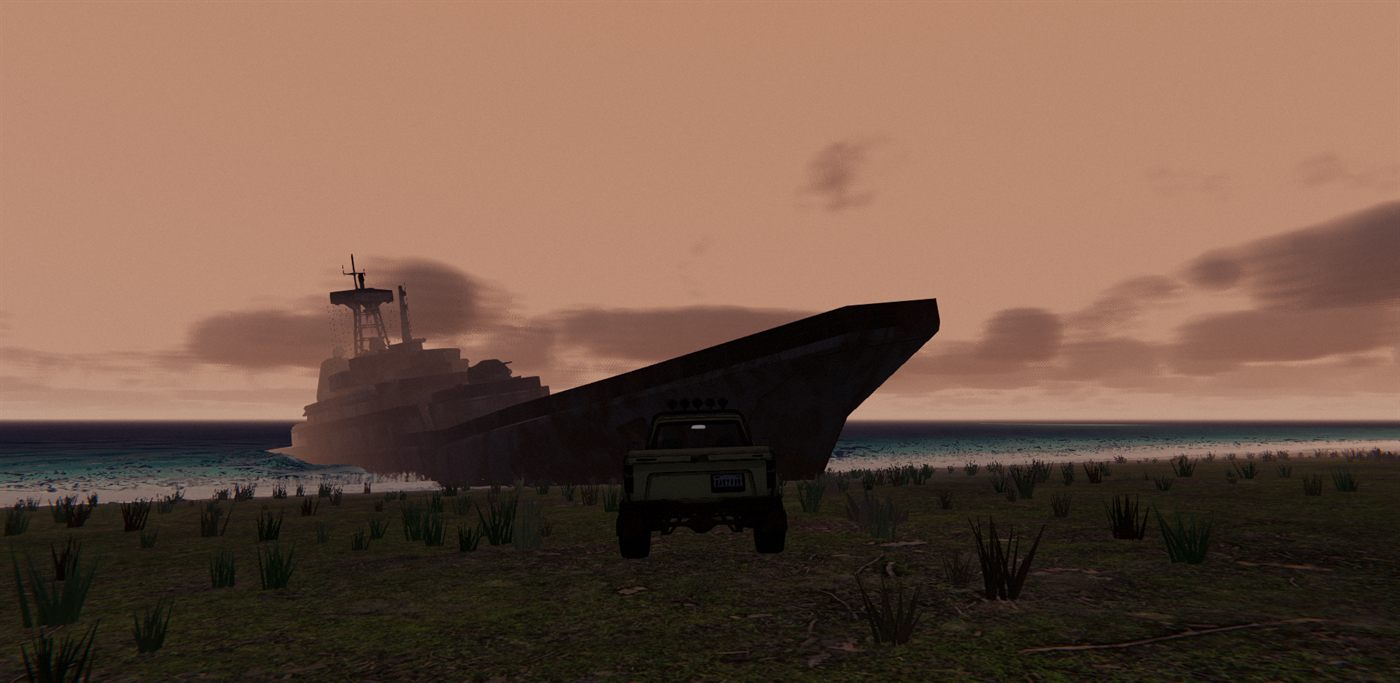
The base is the stock SkyMesh addon, which implements the Preetham analytic sky model. It is a sphere that follows the camera. I scale it to just inside the camera far plane and copy the camera position into it every frame.
The dome is drawn first, with no depth test and no depth write. That way it can never clip anything. When I tried depth-testing a 1700 m dome, it sliced through far mountains that sat beyond it.
const sky = new SkyMesh();
sky.scale.setScalar(1700);     // inside the camera far plane (1800)
scene.add(sky);
sky.turbidity.value = 10;
sky.rayleigh.value = 0.3;      // sky blueness (0.5 = paler)
sky.cloudCoverage.value = 0;   // stock cloud layer off; ours is below
sky.material.fog = false;      // the dome sits past the fog far plane: never fog it
// At infinity: drawn first, no depth read/write. Depth-testing a 1700 m dome sliced far mountains.
// Tried and rejected: (1) clip z = w + depth test + draw last: the dome did not render at all;
// (2) plain depthTest + renderOrder 1000: renders, gain within noise. The real lever is CLOUD_STEPS.
sky.material.depthWrite = false;
sky.material.depthTest = false;
sky.renderOrder = -1;
// per frame: sky.position.copy(camera.position);
The comment records two failed optimisations. The textbook way to save sky fill is to draw the sky last and let the depth test reject pixels already covered by terrain. My first attempt forced clip-space z to w and drew the dome last. It did not render at all: in a node material the model-view-projection position is a varying, so forcing z there did not do what the textbook expects. The second attempt, a plain depth test with a late render order, rendered correctly, but the gain on real hardware was within noise. The expensive part of the sky is the cloud march, not the fill. A plausible optimisation is not a measurement, so both were reverted.
When three.js r186 gave SkyMesh its own cloud layer, I left cloudCoverage at zero. My own clouds sit in the same shader, below.
The frame is that file. Drag to look around. Time of day is the slider, from sunrise at 0 through noon, sunset and midnight. Cloud cover is the other one. The clock does not run on its own.
WebGPU only, on Three.js 0.186.1, with no WebGL fallback. If the browser has no WebGPU, the page stops. Open it through a server, because file:// will not load the modules. php -S localhost:8000 or npx serve in the folder is enough.
Grading Preetham
Raw Preetham is a good gradient and a poor game sky. The sun disc is around ten thousand times brighter than the sky around it and clips to a white blob. Noon blue is saturated. The horizon does not match any fog colour you choose. I fix all three in a grade that wraps the stock output.
The grade needs a view direction and a handful of controls from JavaScript. In TSL, positionWorld is the fragment's world-space position and cameraPosition is the camera's, so their normalised difference is the view ray. A uniform(value) is a GPU uniform whose .value you write from JavaScript each frame, and given a Color object it wraps that object.
scene.fog = new THREE.Fog(0xd7dee6, 140, 800);
scene.background = scene.fog.color; // SAME object: behind the dome by day, it is the night sky
const fogU = {
  color: uniform(scene.fog.color), // wraps the live Color
  near: uniform(scene.fog.near), far: uniform(scene.fog.far),
};
const skyHaze = uniform(0);     // whole-dome wash toward the fog colour (night, overcast)
const skyVeil = uniform(0);     // broad fog veil over the lower sky
const skyDusk = uniform(0);     // dusk tint amount
const uSkyKnee = uniform(0.75), uSkyKneePow = uniform(0.15); // luminance rolloff above the knee
const uSkyFx = uniform(1);       // zeroed during the env bake: PMREM must stay the clear-sky gradient

const stockSkyColor = sky.material.colorNode; // capture BEFORE replacing
const skyDir = positionWorld.sub(cameraPosition).normalize();
const horizonBand = clamp(sub(1.0, skyDir.y.div(0.22)), 0.0, 1.0).pow(2.0); // lowest ~12 deg -> fog colour
const veilBand = clamp(sub(1.0, skyDir.y.mul(0.45)), 0.0, 1.0);              // 1 at horizon, ~0.55 at zenith
Capture stockSkyColor before assigning your own colorNode. The stock Preetham output is just a node you can read inside your own function.
That function is the dome fragment. In TSL, Fn(() => ...) defines a shader function from JavaScript that builds a node graph rather than running on the CPU. Calling .toVar() on a node turns it into a named, mutable shader variable instead of an inlined expression.
sky.material.colorNode = /*@__PURE__*/ Fn(() => {
  const dir = skyDir.toVar();
  const cosSun = clamp(dot(dir, uSunDirWS), 0.0, 1.0).toVar();
  const hazeCol = fogU.color;
  const sunCore = pow(cosSun, 96.0).mul(uSunGlowDisc).mul(uSkyFx);
  const hazeMix = max(skyHaze, max(horizonBand.mul(0.95), veilBand.mul(skyVeil))).mul(sub(1.0, sunCore)).toVar();
  // Preetham's disc is ~10^4 x sky radiance and clips to white. Power rolloff of luminance above the knee
  // (hue preserved). Not an asymptotic compress: that made the sun a flat blob and dulled noon blue.
  const stockLum = luminance(stockSkyColor.rgb).max(1e-4);
  const rolled = min(stockLum, uSkyKnee.mul(pow(stockLum.div(uSkyKnee), uSkyKneePow)));
  const stockRolled = stockSkyColor.rgb.mul(rolled.div(stockLum));
  const stockDesat = mix(stockRolled, vec3(luminance(stockRolled)), 0.3);
  const grade = mix(mix(stockDesat, skyDuskColor, skyDusk), hazeCol, hazeMix).toVar();
  grade.addAssign(pow(cosSun, 6.0).mul(uSunGlowWide).mul(uSkyFx).mul(0.8)); // high-key sun smear
  // ... night sky and cloud march follow
Below a luminance of 0.75 the knee passes the stock colour through. Above it, luminance is raised to a small power and the colour is rescaled to match, so the hue is kept. My first try was an asymptotic compress, a curve that approaches a ceiling. It made the sun a flat blob and pulled noon blue down with it. A knee leaves the body of the sky alone and only bends the top.
After the knee I desaturate by 30 percent.
The haze comes in three layers. The horizon band takes the lowest twelve degrees or so to the fog colour, so fogged terrain never shows a silhouette against the sky. The veil band is a broad wash, full at the horizon and about half at the zenith, so fog reads as covering sky and mountains alike. On top, skyHaze washes the whole dome toward the fog colour at night and under overcast.
The sun core term cuts a tight hole in the haze around the disc. Without it, a dusk sun sits behind a pale wall and loses its colour.
The haze colour is the fog colour itself. The fog bundle wraps the live Color, so writing scene.fog.color on the CPU moves the sky haze in the same frame. scene.background is the same object, not a copy. The clear colour, the fog on every material and the dome haze are one value, and at night there is no seam at the horizon.
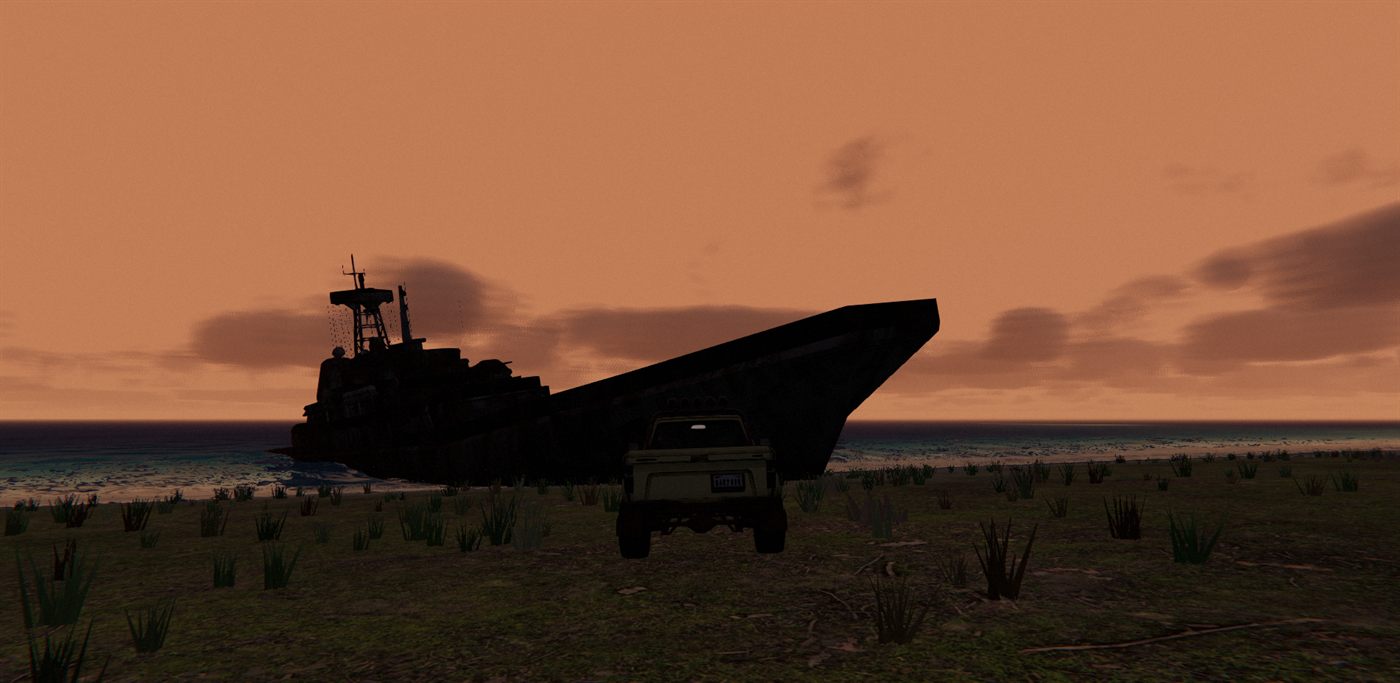
Dusk gets one of three palettes (amber, lavender, pink), rolled per game day from a hash. Each carries a sky, a fog and a cloud tint, so the whole evening moves together.
// Keep the final >>> 0: XOR is signed int32 and a negative hash makes `% n` index off the table.
const dayHash = (d, salt = 0) => { let h = (Math.floor(d) + salt) * 2654435761 >>> 0; h ^= h >>> 15; h = Math.imul(h, 2246822519) >>> 0; h ^= h >>> 13; return h >>> 0; };
const applyDuskPalette = (i) => { duskIdx = i; const p = DUSK_PALETTES[i]; skyDuskColor.value.copy(p.sky); fogDusk.copy(p.fog); duskCloudTint.copy(p.cloud); };
// in updateDayNight: re-pick only at full day (no dusk colour on screen when it changes)
{ const want = dayHash(gameDays) % DUSK_PALETTES.length;
  if (want !== duskIdx && (duskIdx < 0 || (duskAmount === 0 && day > 0.5))) applyDuskPalette(want); }
The palette changes only when no dusk colour is on screen, which in practice means around noon. At dusk the change would pop.
Driving it from a clock
The other half of the system is one CPU function, called every frame, that turns the clock and the weather scalar into every sky uniform, the lights, the fog and the exposure.
The clock is dayFrac, which runs from 0 at sunrise through 0.25 at noon, 0.5 at sunset and 0.75 at midnight. The sun direction comes from it with a peak elevation of 65 degrees. Two derived scalars do most of the work: day and moon, each a clamped elevation raised to 0.6 so they ramp quickly around the horizon.
dayFrac = (dayFrac + dt / DAY_SECONDS) % 1;
const ang = dayFrac * 2 * Math.PI;
const elev = Math.sin(ang) * (65 * Math.PI / 180); // peak 65 deg at noon
sunDir.set(Math.cos(ang) * Math.cos(elev), Math.sin(elev), Math.sin(ang) * Math.cos(elev));
sky.sunPosition.value.copy(sunDir);
const day = Math.max(0, sunDir.y) ** 0.6;   // quick ramp around sunrise/sunset
const moon = Math.max(0, -sunDir.y) ** 0.6; // the moon rides the sun's antipode
// ---- one light plays sun by day and moon by night; the handover happens at near-zero intensity
const moonMode = day <= 0.02;
lightDir.copy(sunDir);
if (moonMode) {
  lightDir.negate();
  sunColorTarget.setHex(0xc9d8f0); // cold blue-grey moonlight
  sun.intensity = 0.3 * moon * (1 - 0.8 * overcast);
} else {
  sunTransmittanceInto(sunTrans, sunDir.y);
  const mx = Math.max(sunTrans.r, sunTrans.g, sunTrans.b, 1e-4);
  sunTint.setRGB(sunTrans.r / mx, sunTrans.g / mx, sunTrans.b / mx).lerp(WHITE, 1 - glowTune.tint); // hue only
  sunColorTarget.setHex(0xf4f2ee).multiply(sunTint);
  sun.intensity = lightTune.sun * day * (1 - 0.5 * overcast); // brightness on the light, not exposure
}
sun.color.lerp(sunColorTarget, ease);
One directional light plays the sun by day and the moon by night. The moon sits at the sun's antipode, so the handover happens in twilight when both intensities are near zero and nobody sees the light flip.
The sun's colour comes from a CPU mirror of the Preetham extinction. It uses the same constants as SkyMesh and reads the live turbidity, Rayleigh and Mie values off the dome, so the colour of the light is the colour of the sun the player sees in the sky.
// CPU copy of the SkyMesh extinction along the sun direction = sunlight colour. Same constants as SkyMesh.
function sunTransmittanceInto(out, sunY) {
  const rC = sky.rayleigh.value;
  const mC = 0.434 * 0.2 * sky.turbidity.value * 1e-17 * sky.mieCoefficient.value;
  const zenith = Math.acos(Math.max(0, sunY));
  const inv = 1 / (Math.cos(zenith) + 0.15 * Math.pow(93.885 - (zenith * 180) / Math.PI, -1.253));
  const sR = 8.4e3 * inv, sM = 1.25e3 * inv;
  out.setRGB(
    Math.exp(-(SUN_BETA_R[0] * rC * sR + SUN_MIE_CONST[0] * mC * sM)),
    Math.exp(-(SUN_BETA_R[1] * rC * sR + SUN_MIE_CONST[1] * mC * sM)),
    Math.exp(-(SUN_BETA_R[2] * rC * sR + SUN_MIE_CONST[2] * mC * sM)));
  return out;
}
I normalise the result to its largest channel and use it as hue only. The day curve handles dimming, and brightness goes on the light, not on exposure, because exposure also raises the sky glare. The same tint feeds the cloud sun colour and the hemisphere ground bounce, so the sun colour, the fog and the dome never drift apart.
Every value in this function is eased toward a target, never set. The form is always v += (target - v) * (1 - exp(-dt * rate)). That makes the result independent of frame rate, and it means a sudden change upstream turns into a smooth change on screen.
The weather half needs a slower ease than the rest. The sky-facing uniforms (cover, extinction, haze wash) ride a stormBlend scalar with a time constant of about 30 seconds. Driving them from the raw weather scalar switched the whole sky in about one second, which read as a cut, not as weather.
At low sun I also drop turbidity and the Mie coefficient, so the aureole around the sun shrinks to a tight halo. Rayleigh is left alone so the reddening stays. The transmittance mirror reads these live, so the light colour follows.
The cumulus march
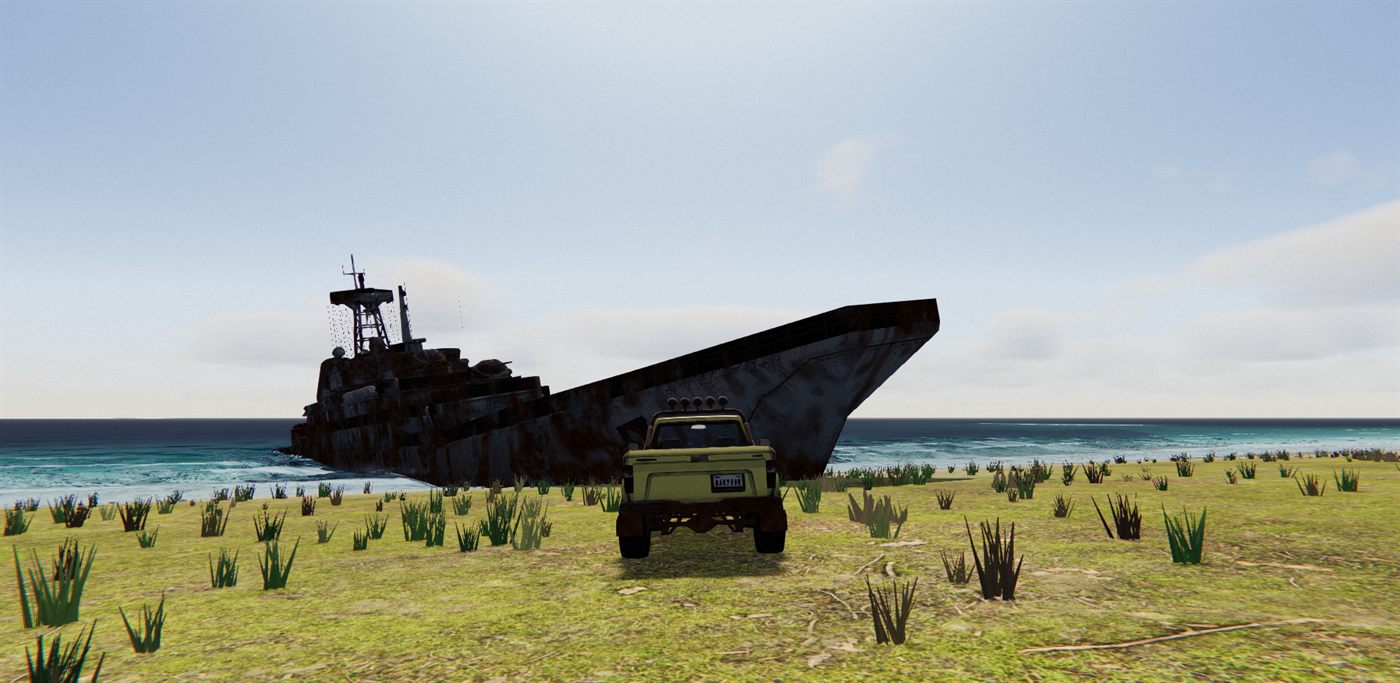
The clouds are a ray march through a curved shell, evaluated in the dome fragment after the grade. Keeping them in the dome pass means they cost only on sky pixels and pick up the same haze grading as everything else.
The shell runs from 1400 m to 4200 m above a planet with a radius of 4000 km. The curvature matters: with a flat slab, rays near the horizon travel through hundreds of kilometres of cloud. With a sphere, the shell curves away and the path length stays bounded.
There is a numerical trap. The textbook intersection computes R^2 - (R+h)^2, which at R = 4e6 in 32-bit floats cancels catastrophically. I compute the same quantity as 2Rh + h^2.
// Camera (on the planet surface) to the shell at altitude h along dir. -c is 2Rh + h^2: the naive
// R^2 - (R+h)^2 cancels catastrophically in f32 at R = 4e6.
const shellDist = /*@__PURE__*/ Fn(([dir, h]) => {
  const b = float(CLOUD_PLANET_R).mul(dir.y);
  const cNeg = h.mul(float(2 * CLOUD_PLANET_R).add(h));
  return cNeg.div(b.add(sqrt(b.mul(b).add(cNeg))));
});
// 0 at the shell base, 1 at its top, for a camera-relative position.
const cloudHeightFrac = (rel) =>
  length(rel.add(vec3(0, CLOUD_PLANET_R, 0))).sub(CLOUD_PLANET_R + CLOUD_BOTTOM).div(CLOUD_TOP - CLOUD_BOTTOM);
Density comes from three noise fields, each with one job. A weather map at about 25 km per cell decides where clouds are allowed at all. A shape field at about 3 km decides the body of each cloud. A detail field at about 480 m erodes the edges. All three are cheap value noise, summed as fbm.
const cloudShape = /*@__PURE__*/ Fn(([wp, hf]) => {
  const weather = fbm3d2(vec3(wp.xz.mul(CLOUD_WEATHER_FREQ), 0.0)).mul(0.5).add(0.5);
  const cov = clamp(uCloudCover.mul(weather.mul(1.6).sub(0.25)), 0.0, 1.0);
  const heightGrad = smoothstep(0.0, 0.12, hf).mul(smoothstep(1.0, 0.45, hf));
  const shape = fbm3d4(wp.mul(CLOUD_BASE_FREQ)).mul(heightGrad);
  return vec2(clamp(shape.sub(sub(1.0, cov)).div(max(cov, 0.001)), 0.0, 1.0).mul(cov), weather);
});
The shape noise is thresholded at 1 - cov and rescaled, so as cover rises, more of the noise survives and the clouds fatten and merge rather than just getting denser. The height gradient rounds the base quickly and tapers the top slowly, which is what gives cumulus its flat bottom and domed top.
The erosion step subtracts detail noise from the shape. Below the middle of the shell the detail is used as is, which makes wispy bases. Higher up it is inverted, which makes billowy tops. Each cloud also gets a domain warp keyed on its weather value, so no two clouds share the same cut through the lattice. Without it, edges repeated.
Erosion fades out between 5 and 16 km, where it would be smaller than a pixel. Sub-pixel detail does not add realism, it aliases into static on cloud edges.
Lighting each sample needs a second, shorter march toward the sun. This is the hottest loop in the frame, so it uses a shape function one octave cheaper and only four steps. In TSL, Loop(n, ...) emits a shader loop, If(cond, ...) emits a branch, and select(c, a, b) is a branch-free choice.
const cloudLightMarch = /*@__PURE__*/ Fn(([rel]) => {
  const od = float(0).toVar();
  const stepLen = ((CLOUD_TOP - CLOUD_BOTTOM) / CLOUD_LIGHT_STEPS) * 0.6;
  const windV3 = vec3(uCloudWind.x, 0.0, uCloudWind.y);
  Loop(CLOUD_LIGHT_STEPS, ({ i }) => {
    const lp = rel.add(uSunDirWS.mul(float(i).add(0.5).mul(stepLen)));
    const hf = cloudHeightFrac(lp);
    const inShell = hf.greaterThan(0.0).and(hf.lessThan(1.0));
    const d = select(inShell, cloudShapeCoarse(lp.add(cameraPosition).add(windV3), hf), float(0.0));
    od.addAssign(d.mul(stepLen).mul(uCloudSigma));
  });
  const beer = max(exp(od.negate()), exp(od.negate().mul(0.25)).mul(0.7));
  const powder = sub(1.0, exp(od.negate().mul(2.0)));
  return beer.mul(mix(float(1.0), powder, 0.35));
});
Beer's law gives the straight extinction. A second, gentler exponential is a floor that stands in for multiple scattering, so bases on a clear day do not go black. The powder term darkens thin cloud facing the sun, which gives cumulus its dark bases and bright rims.
The phase function is a blend of two Henyey-Greenstein lobes: a forward lobe that makes the silver lining when you look toward the sun, and a weak backward lobe that keeps the body of the cloud lit when you look away. The moon gets its own forward lobe at the sun's antipode.
The primary march is energy-conserving. Each sample adds its light weighted by how much of the ray is still unblocked times how much this step absorbs, and then reduces the remaining transmittance.
Loop(CLOUD_STEPS, () => {
  If(t.greaterThan(t1).or(transmittance.lessThan(0.015)), () => { Break(); });
  const rel = dir.mul(t);
  const hf = cloudHeightFrac(rel);
  const wp = rel.add(cameraPosition).add(windV3);
  const wpD = rel.add(cameraPosition).add(windV3.mul(1.4)).add(vec3(0.0, uCloudEvolve, 0.0));
  const dStr = uDetailStr.mul(smoothstep(16000.0, 5000.0, t)); // sub-pixel erosion only aliases
  const dens = cloudDensityAt(wp, wpD, hf, dStr).toVar();
  If(dens.greaterThan(0.001), () => {
    const lightT = cloudLightMarch(rel);
    const lum = uCloudSunCol.mul(lightT).mul(phase)
      .add(uCloudMoonCol.mul(lightT).mul(phaseMoon))
      .add(uCloudAmb.mul(mix(float(0.35), float(1.0), hf)).mul(lightT.mul(0.6).add(0.4)));
    const sampleT = exp(dens.mul(uCloudSigma).negate().mul(dt));
    const w = transmittance.mul(sub(1.0, sampleT));
    scattered.addAssign(lum.mul(w));
    avgDist.addAssign(t.mul(w));
    wSum.addAssign(w);
    transmittance.mulAssign(sampleT);
    t.addAssign(dt);
  }).Else(() => {
    t.addAssign(dt.mul(1.6)); // stride through empty air
  });
});
Several small decisions make this affordable. An outer If skips the march below the horizon, during the environment bake and when cover is near zero. The loop breaks once transmittance falls below 1.5 percent. After empty air the next step is 1.6 times longer, which roughly halves the cost of a clear sky. The path is capped at 22 km. At 45 km it undersampled the 0.5 to 3 km features into edge static, and aerial perspective hides everything past 15 km anyway.
The start of each ray is offset by a fraction of one step to break up banding. The offset comes from the R2 low-discrepancy sequence over screen position: fract(x * 0.7548776662 + y * 0.5698402909). A hash of the view direction, my first try, read as static crawling along cloud edges. R2 gives an even, fine grain.
After the loop come two folds. Aerial perspective blends the clouds toward the graded sky by their transmittance-weighted mean distance, more strongly near the horizon. I do this instead of an alpha gate at the horizon, which smeared cloud texture into a band. The second fold mixes lit cloud toward the haze colour as skyHaze rises, so under full overcast the deck converges on the fog colour.
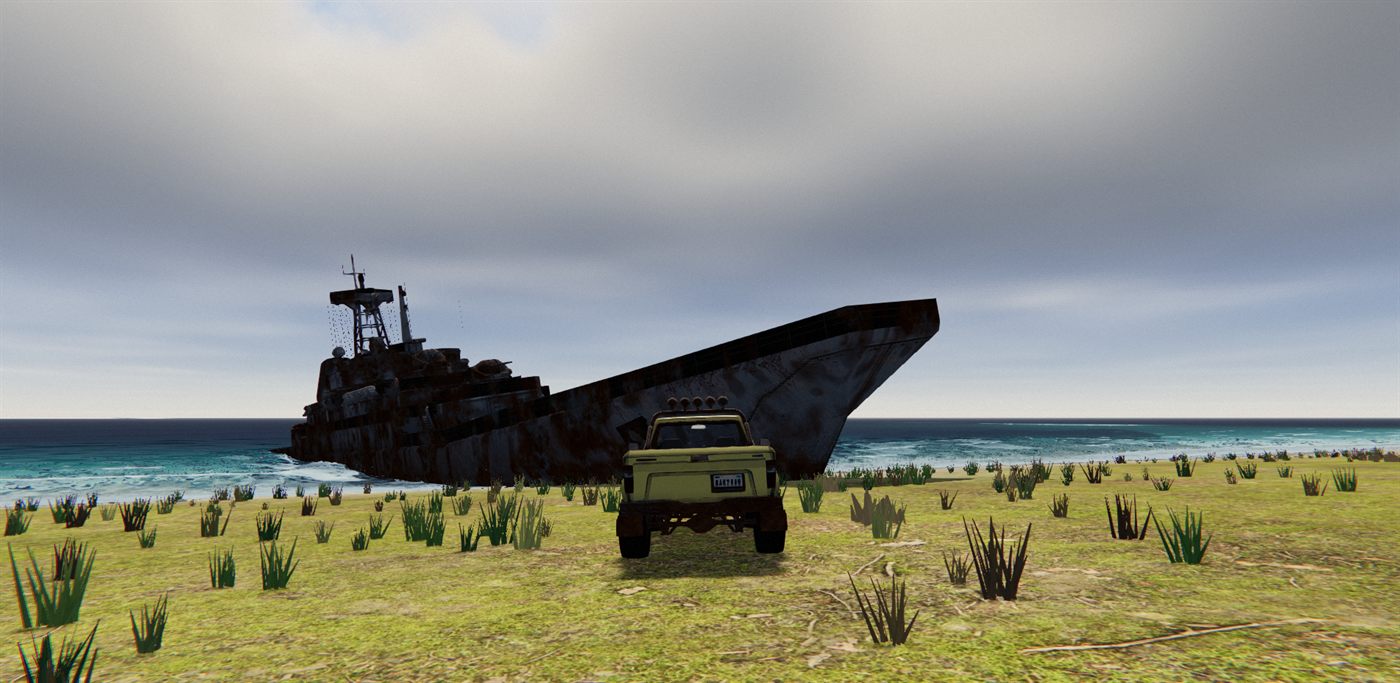
The step count is the primary cost lever. I raised CLOUD_STEPS from 18 to 20 because 18 showed banding. Above 20, cost grows linearly and I could not see a difference. Twenty primary steps and four light steps are the measured ceiling.
Wind without seams
Clouds have to move, and a moving cloud field has a classic failure: precision. If you feed elapsed time into the shader and multiply it by a wind speed, after an hour of play the offset is large enough that 32-bit floats lose the fractional part, and the noise starts to step.
I accumulate the wind on the CPU, in metres, and wrap it at 100 km. A wrap would normally be a visible jump. It is invisible here because each noise frequency, multiplied by the wrap distance, lands on an integer number of lattice cells: 4 for the weather map, 32 for the shape and 210 for the detail. At the wrap, every field is back where it started.
const CLOUD_MAXDIST = 22000, CLOUD_WIND_WRAP = 100000;
// Each frequency x WRAP is an integer (4 / 32 / 210 cells per 100 km): the wind wrap is invisible.
const CLOUD_WEATHER_FREQ = 0.00004, CLOUD_BASE_FREQ = 0.00032, CLOUD_DETAIL_FREQ = 0.0021;
// per frame:
uCloudWind.value.x = (uCloudWind.value.x + dt * 7.2) % CLOUD_WIND_WRAP;
uCloudWind.value.y = (uCloudWind.value.y + dt * 2.5) % CLOUD_WIND_WRAP;
uCloudEvolve.value = (uCloudEvolve.value + dt * 0.9) % CLOUD_WIND_WRAP; // ~20x slower than the wind
The same property has to hold for every octave of the fbm, which is why the lacunarity is exactly 2 and the per-octave offsets are constants. A fractional lacunarity looks the same in a still frame and pops at the wrap.
The wind speed is about 7.6 m/s. Slower read as frozen at driving speed.
Wind alone only translates the clouds, and translated clouds look like a texture sliding over the sky. The detail field drifts 1.4 times faster than the shape and also moves through its own third dimension with uCloudEvolve, so the edges reshape over time while the bodies drift. The evolve offset wraps at the same 100 km for the same reason.
The night sky
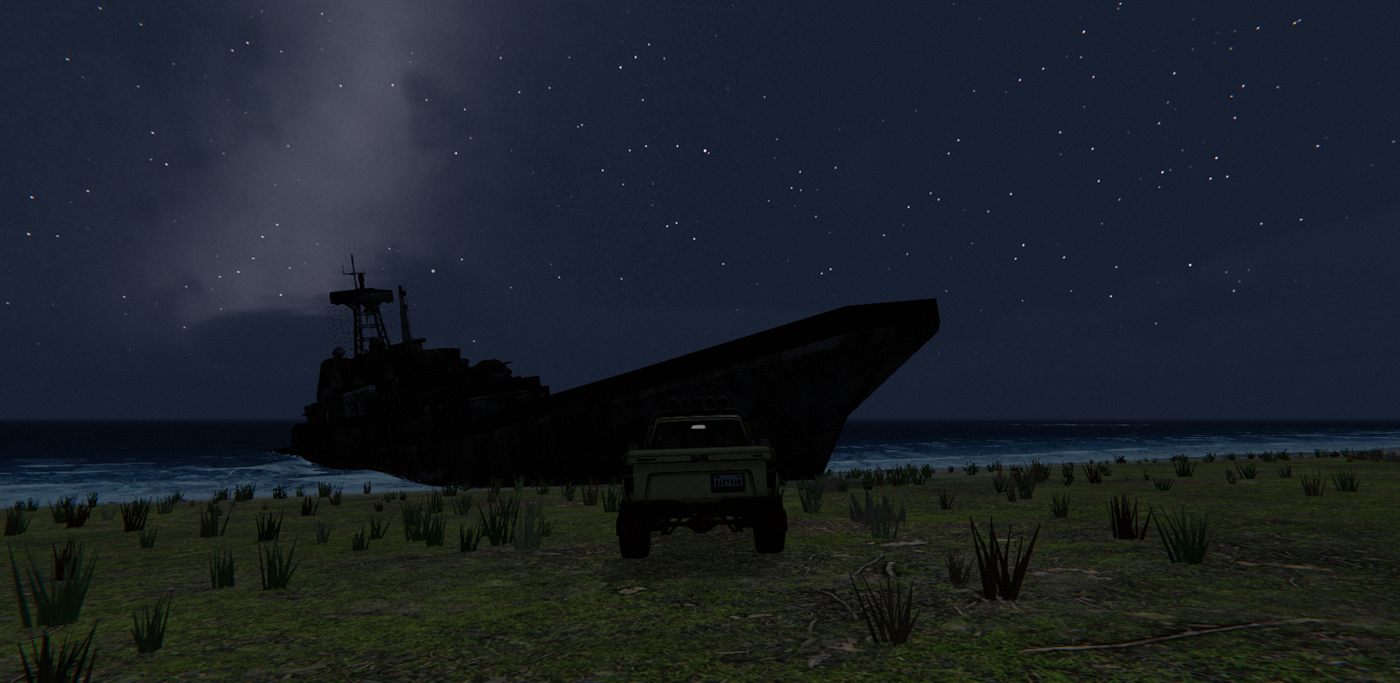
The night sky is split by what each part looks like. The Milky Way is soft and large, so it is a texture baked once at boot. Stars are sharp points, so they are analytic dots in the shader. My first version drew stars as texels in an equirectangular texture. Texels near the pole cover a sliver of sky, so the stars stretched into streaks and a visible cap formed where the rows converge. No filtering fixes that, because the shape is in the mapping.
The bake is a 2048 by 1024 canvas in celestial coordinates, with right ascension across and declination down. For each texel I convert the direction from equatorial to galactic coordinates with the J2000 rotation and shape the band from galactic latitude.
const xe = cd * Math.cos(ra), ye = cd * Math.sin(ra);
// equatorial -> galactic (transposed J2000 rotation)
const zg = -0.8676661 * xe - 0.1980764 * ye + 0.4559838 * ze;
const b = Math.asin(Math.max(-1, Math.min(1, zg)));
if (Math.abs(b) > 0.5) continue; // > ~29 deg off the plane: black
const xg = -0.0548756 * xe - 0.8734371 * ye - 0.4838350 * ze;
const yg = 0.4941094 * xe - 0.4448296 * ye + 0.7469823 * ze;
const l = Math.atan2(yg, xg);
const bulge = Math.exp(-l * l / 2.2);
const core = Math.exp(-(b * b) / (2 * 0.075 * 0.075));
const halo = Math.exp(-(b * b) / (2 * 0.19 * 0.19)) * 0.35;
let dens = (core + halo) * (0.55 + bulge * 0.9);
dens *= 0.6 + fbm(xe * 9, ye * 9, ze * 9) * 0.8;                      // mottling (isotropic: on the unit dir)
const rift = fbm(xe * 11 + 40, ye * 11 + 40, ze * 11 + 40);
dens *= 1 - Math.max(0, Math.min(1, (rift - 0.56) / 0.12)) * (0.35 + bulge * 0.3); // dust lanes
A narrow core and a wider halo give the band its profile, brighter toward the galactic centre. Mottling and dust lanes come from 3D noise on the unit direction, not on texture coordinates, so they do not stretch near the poles. Half a level of random dither per channel removes 8-bit contour steps in the faint halo. One soft gradient adds Andromeda. The PRNG is seeded, so the sky is the same every boot. Anisotropic filtering is on, because the horizon compression moires without it.
In the shader, texture(tex, uv) samples a texture at the given coordinates. I compute those coordinates from the view direction in the celestial frame, add the band linearly over the night grade and gate it by uStarVis, which is true night times clear air.
The faint star field is a hash grid on a cube map of the celestial sphere. A cube map has no pole pinch. Each cell, roughly one degree across, holds one candidate star at a hashed position, and about 15 percent of cells light up, more inside the galactic band.
Every dot is sized in pixels, not in angle. In TSL, fwidth(x) is the sum of the screen-space derivatives of x, that is, how much x changes across one pixel. Dividing a distance by fwidth of the same coordinate converts it to pixels, so a star keeps its size at any field of view and resolution. The same derivative detects cube-face seams, where it jumps, and suppresses stars there.
The bright stars come from a catalog of about fifty real stars plus the Pleiades, stored as directions and colours in uniform arrays. The shader loops over them and measures the chord distance from the view direction to each, again converted to pixels.
const dirPix = fwidth(celDir).length().mul(0.7).max(1e-6);
const catalog = vec3(0.0).toVar();
Loop(STAR_COUNT, ({ i }) => {
  const sc = uStarCols.element(i);
  const spx = length(celDir.sub(uStarDirs.element(i))).div(dirPix);
  const tw = sin(uStarTime.mul(2.2).add(float(i).mul(1.7))).mul(0.12).add(0.88);
  catalog.addAssign(sc.rgb.mul(tw).mul(smoothstep(sc.w.add(1.1), sc.w, spx)));
});
grade.addAssign(catalog.mul(nightGate));
Brightness and core radius come from magnitude, and colour from a warmth value, so Antares reads red and Rigel reads blue. Twinkle is a slow sine per star on a time uniform that wraps every 1024 seconds, never an unbounded clock.
All of this lives in a celestial frame whose pole points north at the site latitude of 60 degrees. The pole is fixed. The two other axes are rotated on the CPU by the day angle every frame, so the sky wheels around Polaris once per game day.
Clouds hide the stars for free. The final output is grade * transmittance + scattered, and the stars are part of the grade, so wherever the march found cloud, the stars behind it fade with the transmittance.
The moon
The moon is the one part of the sky that is not in the dome shader. It is a 30 m plane placed 840 m from the camera along the light direction, which at night is the sun's antipode. That makes it about two degrees across.
const moonMat = new THREE.MeshBasicNodeMaterial({ transparent: true, depthWrite: false });
moonMat.fog = false;
{
  const r = uv().sub(0.5).length().mul(2.0);
  const edge = sub(1.0, smoothstep(0.86, 1.0, r)); // solid disc, softened rim
  moonMat.colorNode = vec4(vec3(0.86, 0.90, 0.97), edge.mul(uMoonVis));
}
const moonMesh = new THREE.Mesh(new THREE.PlaneGeometry(30, 30), moonMat); // ~2 deg across at 840 m
moonMesh.frustumCulled = false;
It is drawn after the dome, faces the camera every frame and fades with overcast. Because the dome clouds render behind it, cloud occlusion is approximated by that overcast fade rather than computed. It is never fogged, for the same reason the dome is not.
Lighting the world from the sky
A sky this dynamic should light the world, so I bake the dome itself into a PMREM (the prefiltered environment map three.js uses for image-based lighting). The bake moves the sky mesh into a scene of its own, renders it through the PMREM generator and moves it back.
function bakeEnvironment() {
  try {
    envScene.add(sky); // reparents; restored in finally
    const discWas = sky.showSunDisc.value, mieWas = sky.mieCoefficient.value, fxWas = uSkyFx.value, hazeWas = skyHaze.value;
    sky.showSunDisc.value = 0; sky.mieCoefficient.value = 0; uSkyFx.value = 0; skyHaze.value = 0;
    // sigma 0.04 = the largest blur inside PMREM's sample budget; far 2000 covers the dome.
    const rt = envPmrem.fromScene(envScene, 0.04, 0.1, 2000, envRT ? { renderTarget: envRT } : {});
    sky.showSunDisc.value = discWas; sky.mieCoefficient.value = mieWas; uSkyFx.value = fxWas; skyHaze.value = hazeWas;
    envBakeSunY = sunDir.y;
    if (!envRT) { envRT = rt; scene.environment = rt.texture; } // hand the texture out ONCE
  } catch (e) {
    console.warn('sky environment bake failed (continuing):', e);
  } finally {
    scene.add(sky);
  }
}
During the bake I zero the sun disc, the Mie glare, everything gated by uSkyFx (clouds, stars, sun glow) and the overcast wash. The disc and glare are HDR, and their radiance lit thin distant geometry through its specular lobe. The rest changes from frame to frame and would make each re-bake step the lighting. With all four removed, the bake is always the clear-sky gradient for the current sun elevation.
The bake always renders into the same render target, and scene.environment is assigned once. Assigning a new texture there invalidates the cached node builder of every material in the scene. In Hard Road that was a recurring stutter of around 300 ms with no world event to explain it. The rule I took from it applies everywhere in the WebGPU renderer: swap texture contents, never texture objects.
Re-bakes happen only when the sun elevation has drifted by more than 0.06 since the last bake, throttled to one every 1.5 seconds. With a one-hour day that is a re-bake every two to three game minutes. I never re-bake on weather. Overcast flattens the image-based lighting through scene.environmentIntensity instead, which is a uniform and free to change.
At night the environment intensity goes to zero, because ambient specular from a dark sky still lit distant geometry visibly. By day it stays low, a sheen rather than a light source, and the hemisphere light carries the ambient.
The first bake runs at boot, before the shader warm-up, so every pipeline compiles with the environment branch present. Adding an environment later would trigger the same rebuild I just described.
Lessons learned
- Hoist every node that is used across
Ifbranches with.toVar()before theIf. The WGSL code generator scopes expressions to the branch where they are first used, and a node defined in one branch and read in another fails or reads garbage. I first hit this on Aug 3 and met it again in later shaders. - Never feed unbounded time into shader trigonometry or noise. Accumulate offsets in JavaScript and wrap them, at a period that the shader's functions repeat on.
- When a wrap must be invisible, make every noise frequency an integer number of cells per wrap, keep lacunarity exactly 2 and keep octave offsets constant.
- Compute ray-sphere terms on a large planet as
2Rh + h^2. The textbook form cancels in 32-bit floats. - Dither a march with a low-discrepancy sequence over screen position. A per-direction hash reads as static on edges.
- Fade sub-pixel detail out with distance. Extra noise octaves do not add realism past the pixel scale, they add aliasing.
- Cap the march path to what the step count can sample. A longer path does not show more clouds, it undersamples the ones you have.
- Tame Preetham's highlights with a power curve above a knee, not an asymptotic compress, and keep the hue by scaling the colour to the new luminance.
- Make the sky haze, the fog and the background the same
Colorobject. A colour that is copied will eventually differ. - Ease every sky-facing weather scalar over tens of seconds. Raw weather values switched my sky in about a second.
- Change anything with a visible colour, such as a dusk palette, only when that colour is not on screen.
- Never stamp point features into an equirectangular texture. Draw them analytically and size them in pixels with
fwidth. - Never flip
castShadowat runtime on WebGPU. Every lit pipeline rebuilds and the game freezes for seconds. Fadeshadow.intensityand stop updating the shadow map when it is invisible. - Bake the environment into one render target, assign
scene.environmentonce, and leave out the sun disc, the glare and anything that changes per frame. - Turn image-based lighting off at night. A dark sky still adds visible specular to distant geometry.
- Measure every sky change with a hide-the-dome A/B on the target hardware. Headless and software renderers give meaningless numbers, and plausible optimisations (like drawing the dome last) can measure as nothing.
Cost and where this is going
The dome fragment runs on every sky pixel every frame, and again in any planar reflection that includes the sky. Measured with that A/B on an RTX 40-series at 1080p, standing on a beach with half the frame sky, the dome costs 2.3 ms with the march gated off, about 5 ms at a cover of 0.4 and 3.1 ms at full cover. Scattered cloud is the expensive case, because few rays reach the early exit; under a full deck the transmittance threshold ends most rays after a handful of steps. The Preetham evaluation and the grade are a 2.3 ms floor, and the twenty-step march adds up to three milliseconds on top. When I first priced each layer of the game in September, the sky was the single largest GPU layer at a heavy spot, at 2.5 ms. The levers are the ones above: the step count, the empty-air stride, the early exits and the path cap. If you adopt this sky on integrated graphics, measure first.
The sky did what I built it for: no downloads, one shader, and a world that changes colour with the clock and the weather without anything drifting apart. What it could not do is look like a photograph. Hard Road is moving to photographed equirectangular skies crossfaded by sun elevation and weather, the way truck simulators do it. The clock, the one sun and moon light, the fog coupling, the eased drivers and the bake into one render target do not depend on the dome shader, and I expect to keep them. The cumulus march, the knee and the baked Milky Way will be retired, and this article is their record.